
Register Orbit Exchange via Bet-Football
Follow these simple steps to create your Orbit Exchange account through Bet-Football and start betting.
Orbit Broker provides the official route. Bet-Football manages the account and documentary verification. OrbitX is the betting exchange.
Register Now
Get Started
Join The Exchange
Register via Bet-Football in 6 Steps
If you live in a country with geographical restrictions on betting exchanges, please register here through BFB247 to get a verified OrbitX account.
Click Register
- Click Register Now on Bet-Football.
- Select the bookmakers: Orbit Exchange and Skype Betting.
- Then click REGISTER.
Bet-Football route only: if your true country is absent from the dropdown, select Andorra as the technical routing fallback agreed with Bet-Football, while continuing to provide your true personal data when requested. This does not apply to BFB247/96EX.

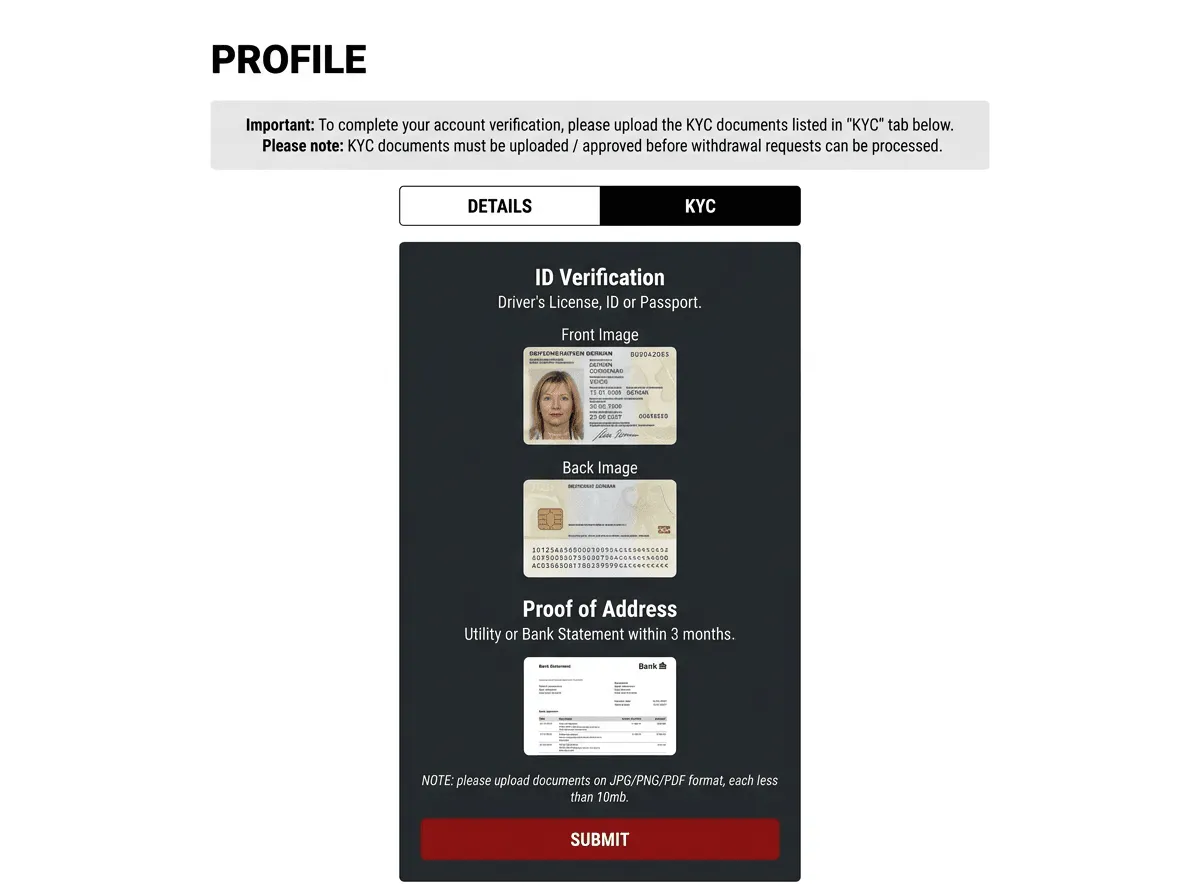
KYC Verification
- Log in to Bet-Football and upload your documents.
- 1x Proof of Address — utility bill or bank statement from the last 3 months.
- 1x Identity Document — passport, ID card, or driving licence.
- Click “SUBMIT” and check your email (including spam) for confirmation.
First Deposit
- Once verified, make your first deposit. The direct Bet-Football route currently has a €30 minimum deposit.
Keep the VPN connected for exchange access. Disconnect it only before signing in to an external wallet such as Skrill or Neteller, then reconnect to Denmark or Norway before returning to OrbitX.
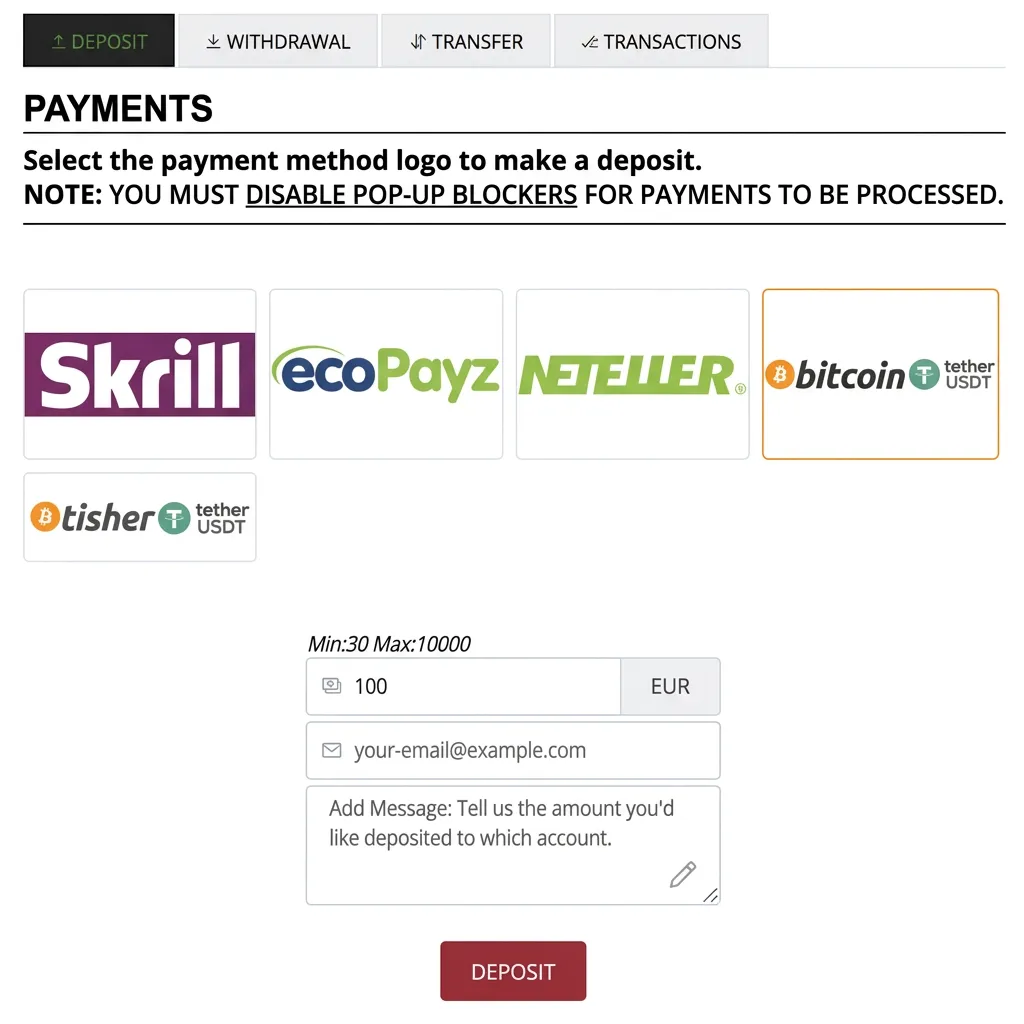
How to Make Your First Deposit on Bet-Football
Create Orbit Exchange Account
- Click on Orbit Exchange.
- Now create your Orbit Exchange account.
- Choose your username OrbitX.
- Set your password OrbitX and click Create.
- Your Orbit Exchange account will then be created.

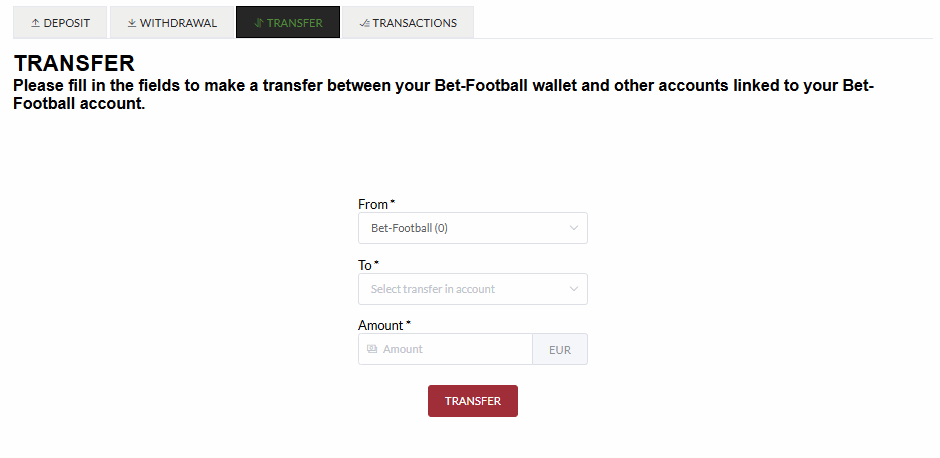
Transfer Funds to Orbit
- Now let's move the funds deposited in Bet-Football to Orbit Exchange.
- Go to Transfer.
- Select from: Bet-Football → to: Orbit Exchange.
- Enter the amount.
- Click Transfer.
Account Login
- Please login at your new Orbit Exchange account with your username and password.
VPN use is allowed for exchange access. Denmark or Norway are the recommended connection locations.


Step-by-Step Tutorial
Your Account in Minutes
How to Open Your Orbit Exchange Account
Watch this step-by-step video guide to learn how to register and start betting on Orbit Exchange.
Open your account through Bet-Football
Complete the Bet-Football registration and documentary KYC before accessing OrbitX.
Register via Bet-Football